Acreage Calculator
Enter the lot's sides, or paste the GPS coordinates of its corners, to get its area in acres, hectares and square feet.
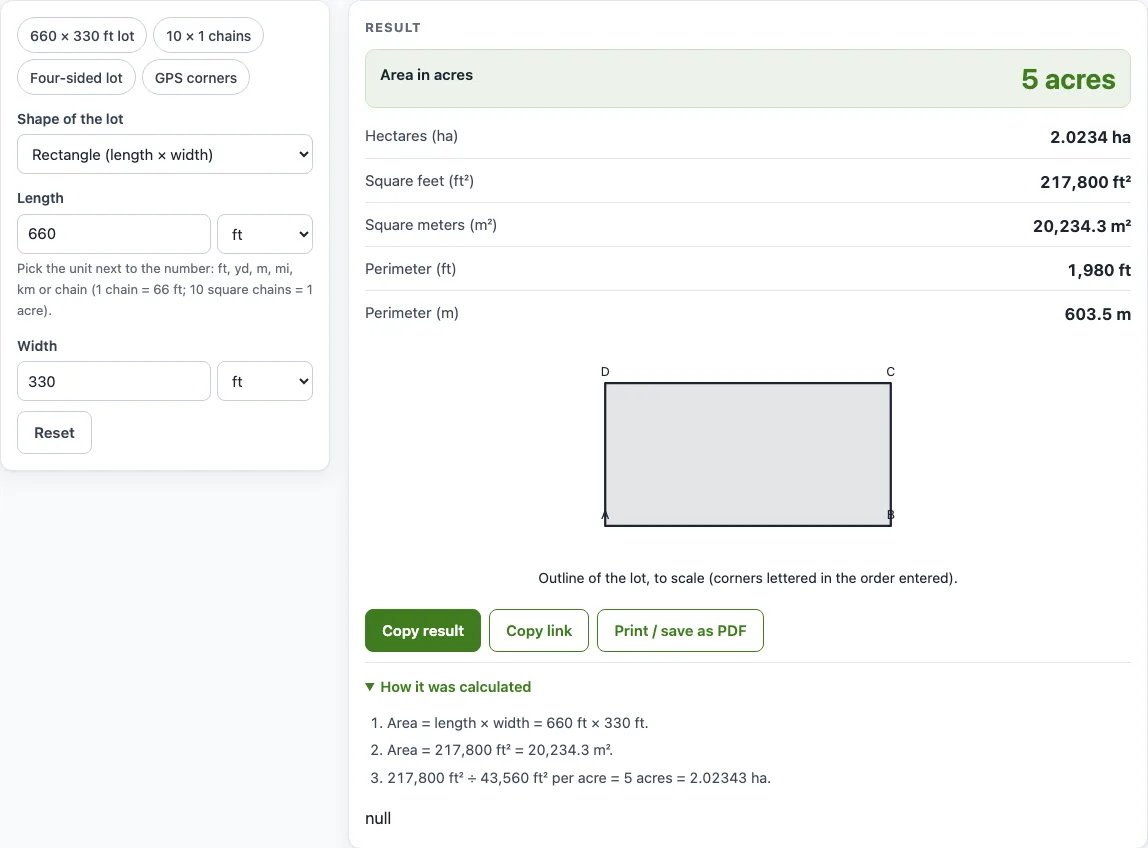
How to use the Acreage Calculator
- Open the Shape of the lot menu and choose a shape: rectangle, triangle, trapezoid, circle, four-sided lot or GPS corner points.
- Type each measurement into its box. A rectangle uses Length and Width. A four-sided lot uses Side A, Side B, Side C, Side D and Diagonal.
- Pick the unit next to each number: ft, yd, m, mi, km or chain.
- For a trapezoid, enter Parallel side A, Parallel side B and the Height, measured at right angles to the parallel sides, not along the slanted side.
- For GPS corners, paste one corner per line in Corner points (latitude, longitude), as decimal degrees in order around the lot, with at least three corners.
- Read Area in acres in the results, then the other rows: hectares, square feet, square meters and the perimeters.
- Open How it was calculated to see each step with your own numbers.
- Read any warning before you use the figure.
The example buttons above the form load “660 × 330 ft lot”, “10 × 1 chains”, “Four-sided lot” and “GPS corners”. Copy link saves every input in the page address, and Copy result copies the result lines with a link. Print / save as PDF prints the inputs, results, steps and date, and Reset restores the defaults.
How do I calculate acreage from lot dimensions?
Find the area in square feet, then divide by 43,560, because one acre is 43,560 square feet. Each shape reduces to a basic area formula, and the tool converts your units first. If you search for a lot size to acres calculator or a lot dimensions to acres calculator, this is the method.
For a rectangle, the area is length × width. A 660 ft by 330 ft lot gives 217,800 ft², and 217,800 ÷ 43,560 = 5 acres.
For a triangle with three known sides, the tool uses Heron’s formula: with s = (a + b + c) ÷ 2, the area is √(s(s − a)(s − b)(s − c)). A trapezoid uses (A + B) ÷ 2 × height, and a circle uses π × diameter² ÷ 4.
A four-sided lot is split along its diagonal into two triangles. Each is solved with Heron’s formula, and the two areas are added, so the diagonal must run inside the lot. If the four sides added together are shorter than twice the diagonal, the tool warns that the diagonal cannot run inside the lot.
If your measurements are in chains, note that 1 chain = 66 ft and 10 square chains = 1 acre.
Is there an acreage calculator map?
Many people search for an acreage calculator map or an acres calculator map. This tool has no map you can draw on. It draws the outline of the lot to scale from the numbers you give it. To find acreage on map data such as Google Maps, take the corner coordinates from the map and enter them in GPS mode, as described next.
How do I measure acreage on Google Maps?
For calculating acreage on Google Maps, right-click each corner of the lot in Google Maps and click the coordinates at the top of the menu to copy them. Paste each corner on its own line in the corner points box, in the order you walk around the lot. Choose “GPS corner points (lat, lon)” first. The tool then returns the area in acres.
Each coordinate is a latitude and longitude in decimal degrees, such as 40.0000, -100.0000. The tool projects the corners onto a flat plane around the lot and finds the area with the shoelace formula. The flat-plane method loses accuracy over long distances, but it suits normal lots and fields. Keep five or more decimal places, because if all points lie within a few meters of each other the tool warns that the coordinates may be too rounded.
The order of the corners matters. If the outline crosses itself, the figure is not the lot’s area, and the tool shows a warning.
Sources
- NIST Handbook 44, Appendix C and NIST SP 811 — exact unit definitions (1 acre = 43,560 ft² = 4,046.8564224 m², 1 lb = 0.45359237 kg, 1 US gal = 231 in³); Gunter’s chain = 66 ft
- W. Kahan, “Miscalculating Area and Angles of a Needle-like Triangle” (2000) — stable form of Heron’s formula
- H. Moritz, Geodetic Reference System 1980 (IUGG) — mean Earth radius 6,371,008.8 m used for GPS corners
Worked examples
| Input | Result |
|---|---|
| Rectangle (length × width) | 5 acres (2.0234 ha, 217,800 ft²) |
| Rectangle (length × width) | 1 acres (0.40469 ha, 43,560 ft²) |
| Rectangle (length × width) | 24.711 acres (10 ha, 1.07639 × 10⁶ ft²) |
| Triangle (3 sides) | 1.3774 acres (0.55742 ha, 60,000 ft²) |
| Circle (diameter) | 31.416 acres (12.714 ha, 1.36848 × 10⁶ ft²) |
| GPS corner points (lat, lon) | 210.63 acres (85.239 ha, 9.17506 × 10⁶ ft²) |
Calculated by the tool above with these values.
Frequently asked questions
Is the calculator free, and is anything I type uploaded?
Yes, the calculator is free and needs no sign-up. It runs entirely in your browser, and nothing you type is uploaded.
Can I use the results in commercial work such as quotes and bids?
Yes. Results, calculation steps and printouts may be used in any work, including commercial work such as nutrient plans, spray records, quotes and invoices. No attribution is needed.
How many square feet are in an acre?
One acre is 43,560 square feet, which equals 4,046.86 square meters or 0.404686 hectares.
Does the calculator recommend how much fertilizer or lime to apply?
No. The calculator measures area and does not recommend rates. The product label, a soil test, an agronomist, the extension service or a veterinarian gives the actual recommendation.
Why does the tool warn that the corners are far apart?
The flat-plane method loses accuracy over long distances, so the tool warns when the corners are more than 50 km apart. For a precise survey of a large tract, use survey software or GIS.
What does the “outline crosses itself” warning mean?
It means the corners are not listed in order around the lot. Re-list them as you walk around the boundary, because otherwise the area is not the lot’s area.
Is the result a legal survey?
No. It is an estimate from the numbers you enter. For a boundary or a sale, use a licensed surveyor or the deed.
Related tools
- Square foot to acre converter: use it when you already have an area in square feet and only need acres.
- Hectare to acre converter: use it to switch between hectares and acres without measuring a lot.
- Fertilizer calculator: use it once you know the field size and want to plan fertilizer amounts.
- Lawn fertilizer calculator: use it for a lawn area you have measured.
- Lime calculator: use it to plan lime for a field whose acreage you have worked out.
- Seeding rate calculator: use it to work out seed quantities for a planting area.
- Pond volume calculator: use it to find the volume of a pond once you know its surface area.
- All calculators: use it to browse every tool on the site.